Intermittend wrong temperature readings on DHT11 #81

Reference in New Issue
Block a user
Delete Branch "%!s()"
Deleting a branch is permanent. Although the deleted branch may continue to exist for a short time before it actually gets removed, it CANNOT be undone in most cases. Continue?
I just installed everything and it seems to work, but I regularly get wrong values.
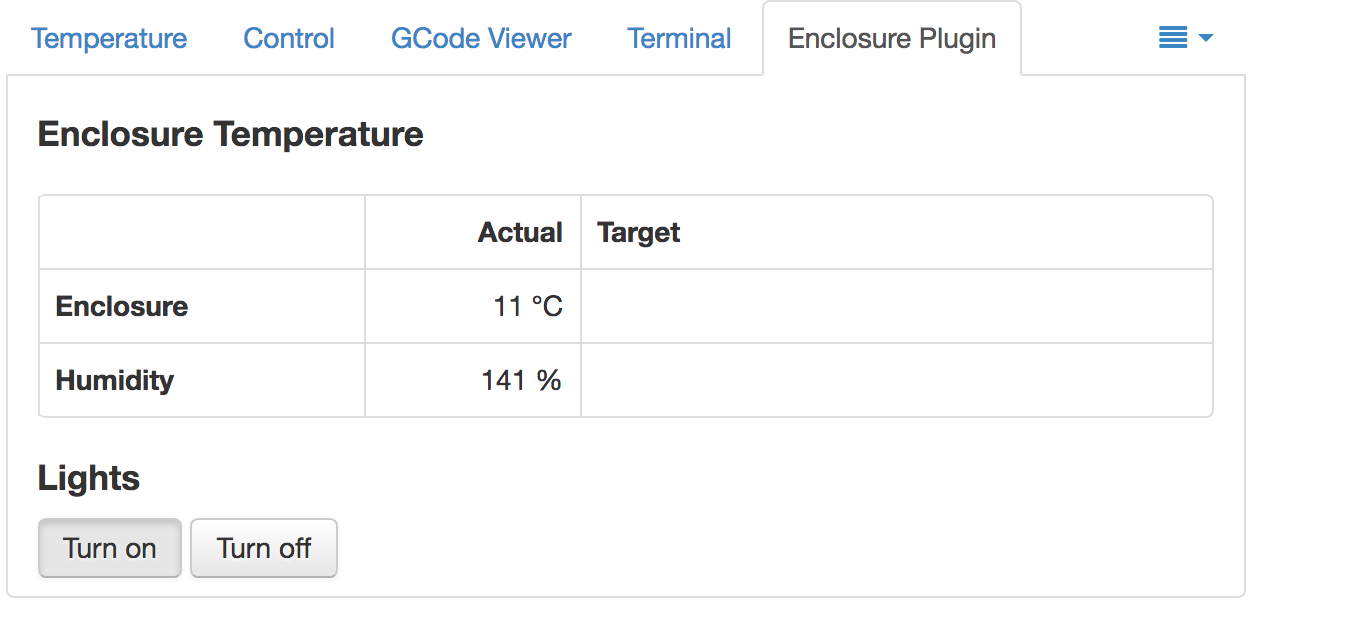
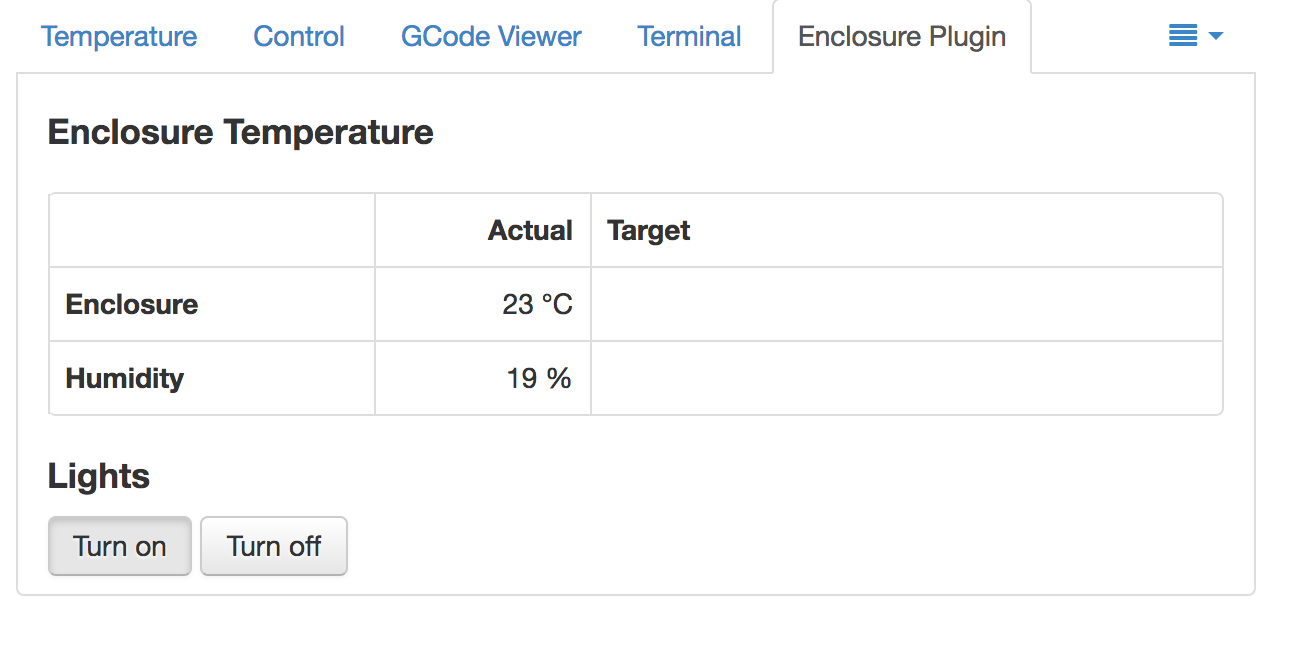
Here are 2 screenshots:
where do those weird values come from?
Some addition: I would like to add temperature control to my enclosure (engaging fans when temps get too high) but I guess with these weird readouts it will constantly switch on and off since every X seconds it will detect a way too low temperature?
Dht sensors are inherently buggy on raspberry pi.
raspberry pi can barley keep up with the timing necessary to talk to dht sensors. Power your dht sensor on a higher voltage, like 5V, and use a level shifter on the read pin, you can get away without it but I recommend using one. 3.3V + voltage drops are not enough to power the sensor and get reliable values.
My recommendation: change the sensor, the plugin supports plenty options.
Unless I am mistaken it is already running on 5V. If this is a general problem with that sensor type maybe add it to the readme?
yes, i should do that... sometimes on some installations it works without a problem, I can one enclosure using a dht22 no errors what so ever, bot one on my garage kept giving me incorrect numbers.
I read online many people having issues like this, but it's not clear what is causing, if you have any other sensor try changing the sensor and wiring first, and double check the your power temperate, if it's 3.3V try with 5V, if it's 5V try 3.3V. It's going to me a trial and error, but maybe you can get it working for you.
Double check your pull up resistor, add an 10K if needed.
I added a 10K resistor.
I bought the sensor because it was in your list and it seemed easy to wire up :)
If I would have known I would have ordered a different one.
sorry about that.. yeah, it's one of those things, it "works" but it's a little bit more difficult to get it working, try my suggestions and see if improves the values.
You can also change the dht sensor routine and add more tests to filter incorrect values:
https://github.com/vitormhenrique/OctoPrint-Enclosure/blob/master/octoprint_enclosure/getDHTTemp.py
I added the caution warning to the read-me.