Turns off Automatically even though it's set to not do that. #255

Reference in New Issue
Block a user
Delete Branch "%!s()"
Deleting a branch is permanent. Although the deleted branch may continue to exist for a short time before it actually gets removed, it CANNOT be undone in most cases. Continue?
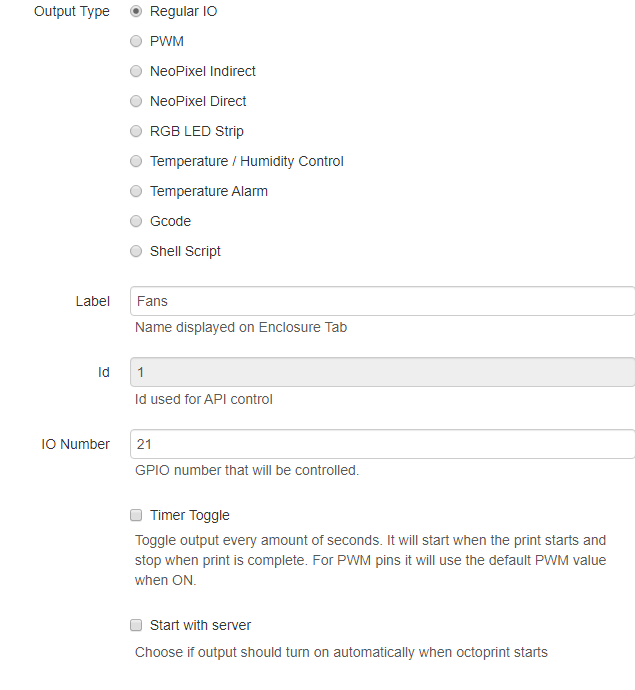
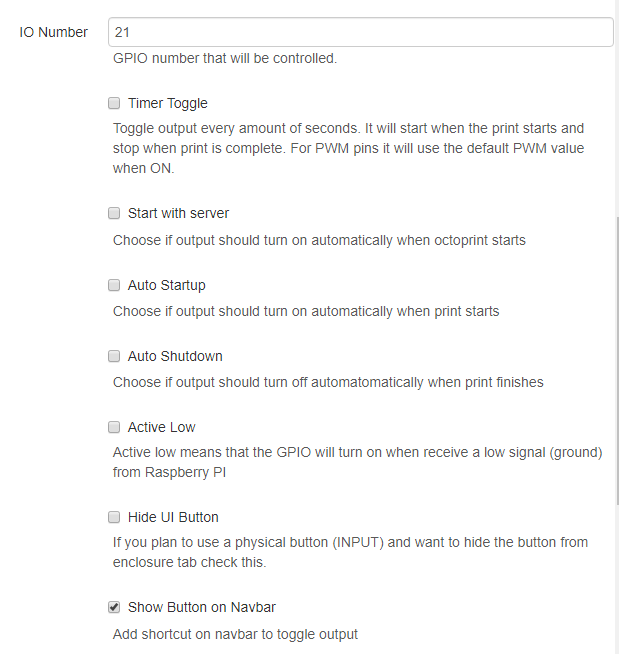
I know it's not much to go off of but I leave the print running over night, it'll finish sometime during then and when I check on it in the morning, the items I have set to be on permanently are off. All I'm doing is running relays going to a 12v power supply to turn fans on and off.
To Reproduce
Steps to reproduce the behavior:
Expected behavior
it not to be off until I manually select off.
Additional context
octoprint.log.zip
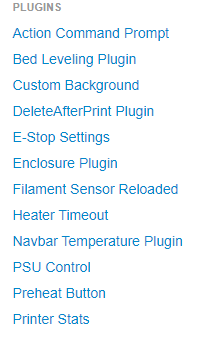
Plugins being used:
Bump. I'm still experiencing the issue and it's causing me a lot of problems
I’m not really sure what you mean, you set of fan online and it
automatically turns off?
I have an external power supply connected to a relay board. The relay board is controlled through the Gpio pins which are then controlled by the plug-in. Everything works great in that respect. HOWEVER, every time I come back to a print (time interval unkown but I'm working on that), the external power supply is off and the enclosure plug-in shows that it turned them off.
The issue is that the power supply is being switched off before the hot end cools and then my fan mounts melt as a result. I have all the settings set to never turn anything off and yet it still does.
Try adding auto shutdown with a delay of 30 minutes, that would be enough
time for it to cool down and shut off the power supply...
Also when you say “enclosure plug-in shows that it turned them off“ do you
mean on the UI or on the octoprint log?
UI will show the status of the GPIO no matter if the GPIO was triggered by
the plugin or something else.
I would say enable debug mode under advanced section of the plugin, let it
happen again and attach the log.
After that you can try my first suggestion.
Best regards,
Vitor Henrique
"Also when you say “enclosure plug-in shows that it turned them off“ do you
mean on the UI or on the octoprint log?" - The UI button in the nav bar. I have logs but I'm not sure what I'm looking for in them, nor which log to grab. I'll do a long print today to and then one tomorrow and grab the log from both.
Actually, I just realized I have a log from last night. Which one do you need?
Send the octoprin.log (first one), i am on vacations in Germany now, so
honestly I’ll only be able to check this after 16....
I’ll try to see something later on today, but I have no hardware to test.
oh, in that case don't worry about it until you get back from vacation. Enjoy your vacation! Just hit me up when you get back or something.
octoprint (3).log
Just adding to this, I took a timelaps of the printer, the fans definitely shut off about 20+mins before the print ended and subsequently causing the print to fail and melting my fan mounts... again.
Print was 12+hrs
The video is 80Mb so I don't know if you want that uploaded to your GIT or not.
Try setting up a delay, with a positive valeu.... on the automatic shutdown
option, I’m still on vacations and will only be back on 17th.
ok, I set it to 86400s which is 24 hrs if I'm not mistaken
Curious though, when I checked the box, it auto defaulted to 00:05, which according to the settings instructions says that it's to shut off at 5 after midnight. I wonder if that setting is getting stuck.
Enjoy your vacation though, no need to respond to me while you're away. I'm just adding info so you have more to go off of than just "help I'm stuck"
Just letting you know, I haven't had a chance to do what you suggested but I will be getting back to it next week (hopefully)